
Token pages
Finding a token, reading its page and tabs, trading it, embedding it, and claiming, editing, reporting or listing one.
Finding a token
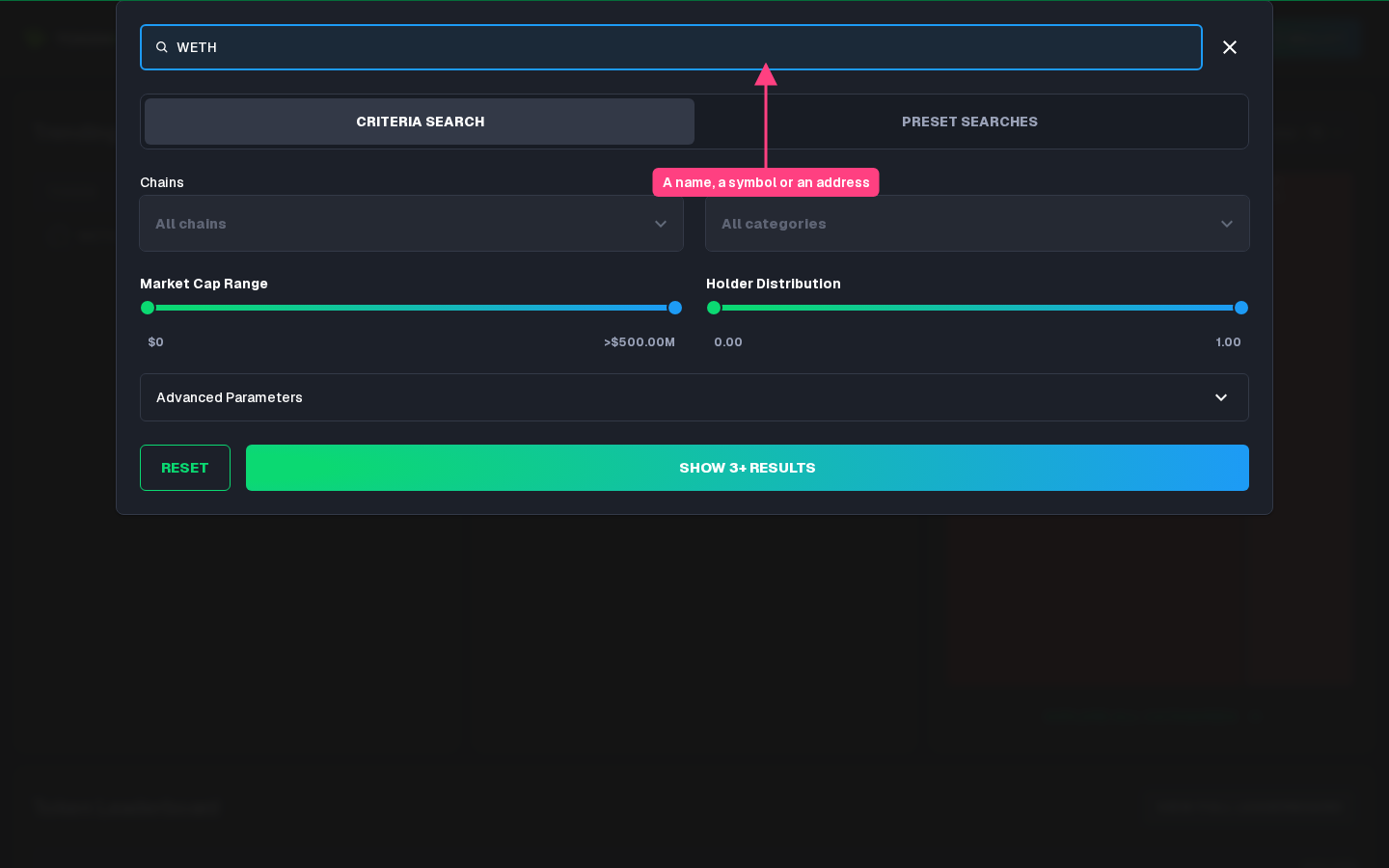
- Search: open the search from the top bar and type a name, a symbol or a contract address; several terms separated by commas find tokens matching any of them. Criteria Search narrows the results by chain, category, market cap, holder distribution and, under Advanced Parameters, holders, fully diluted value, liquidity, token age, revenue, price change, volume and more. Show results opens the full results table.
- Leaderboard: the ranked table of tokens, described in Categories and leaderboards.
- All tokens: All Crypto Tokens lists every ranked token, and each chain has its own list.
Token Gems covers tokens on Ethereum, Solana, Arbitrum, Avalanche, Base, BNB Smart Chain, Linea, Optimism, Polygon, PulseChain and Ronin.
The token page
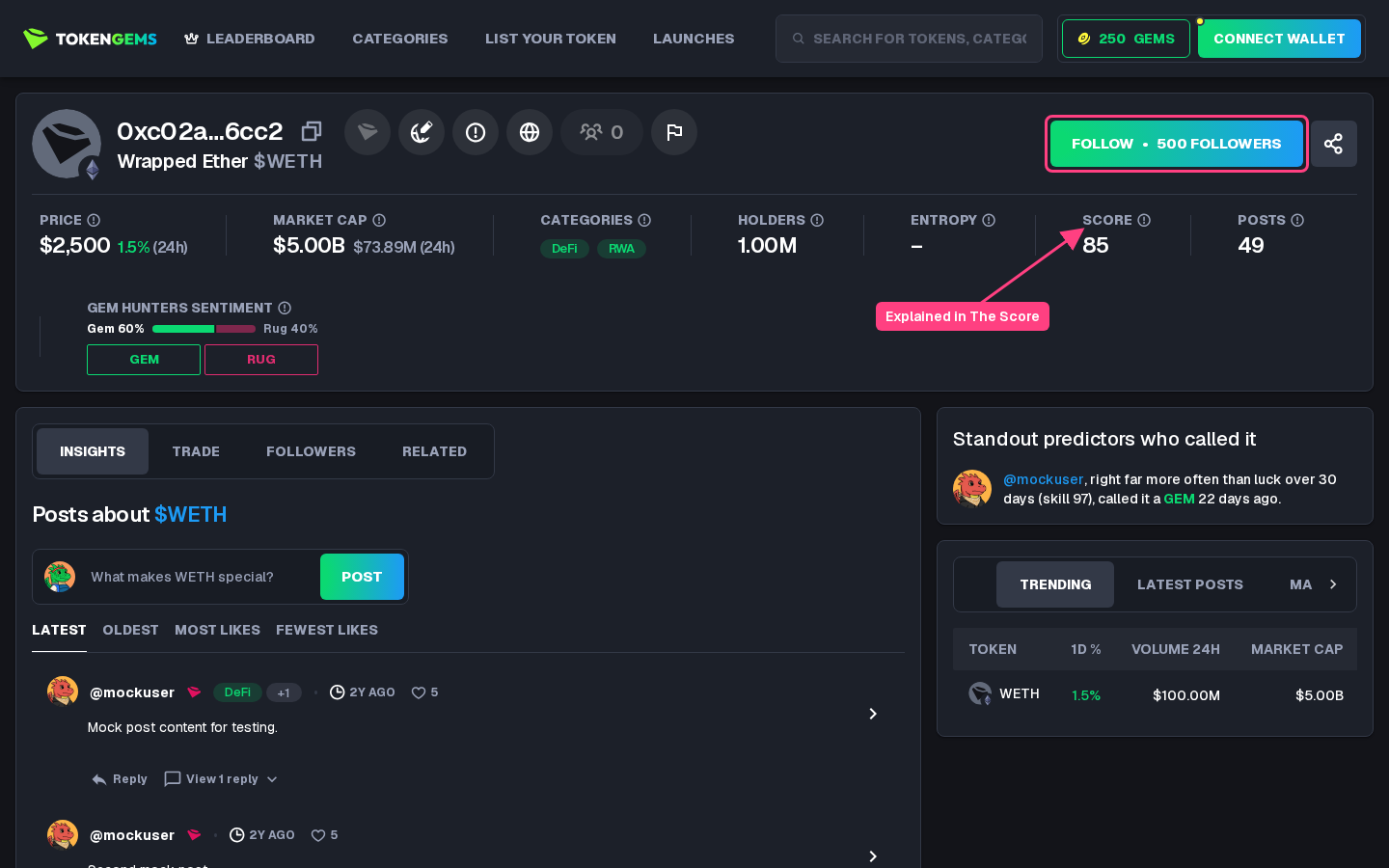
The top of a token page shows its logo, name, symbol and contract address, with buttons for its description, website and social links, and these figures:
- Price and Market Cap, each with its change over 24 hours;
- Categories the token belongs to;
- Holders, and Entropy, how evenly the supply is spread across them;
- Score, explained in The Score;
- Posts mentioning the token;
- Gem Hunters Sentiment, where you vote Gem or Rug (see Predictions).
A token Token Gems has no market data for yet shows its basic information only. A banner shows when a token is left out of the rankings for lack of reliable market data; it says nothing about whether the token is worth buying.
Beside the tabs, Standout predictors who called it lists the calls that standout predictors made on the token (see Predictors), above the trending tokens, latest posts and market map. At the bottom, Frequently asked questions sums the token up.
The tabs
- Insights, the default: the posts about the token, with a box to write one. See Posts and replies.
- Trade: a price chart and trading panel from Dexscreener. It is not available for tokens on Ronin.
- Followers: the users following the token.
- Related: similar tokens on the same chain. The tab shows only when there are some.
Following and sharing
Follow adds the token to your watchlist (see Watchlist and notifications). The share button opens Share token, with the page's link and an Embed on your site code: a card with the token's Score, price, market cap, followers, posts and sentiment that any website can show. Logged in, both carry your referral code, so you may earn GEMs when the people they bring sign up and become active, subject to the terms.
Claiming and editing a token
A token's creator can Claim token by logging in with a wallet that proves they control the token; a token can be claimed once. A claimed token shows a badge, and its owner can edit its name, description, website and social links. Every edit shows once moderation clears it, and some fields may be locked by the moderators. Claiming and the first published edit of a token earn GEMs (see Ranks and rewards).
Reporting an error
Anyone logged in can select Report an error on a token page to flag a wrong name, logo, link or description. Market data cannot be corrected through a report. An accepted report earns 10 GEMs.
Listing a token
A token Token Gems does not know yet can be added from List Your Token: log in, choose its blockchain, paste its address and select List Token. Its page is created at once and opens, and its logo and market data follow shortly. When no token is found at that address on that blockchain, the form says so; when the request fails for another reason, it asks you to try again later. Opening the address of an unknown token leads to the same form.